
“How to Use VN Video Editor: A Complete Tutorial for Beginners”
How to Use VN Video Editor: A Complete Tutorial for Beginners
If you are new to mobile video editing, VN Video Editor is one of the most powerful free apps available. It combines professional features with an easy-to-use interface, making it perfect for creators on YouTube, TikTok, and Instagram. In this tutorial, we’ll guide you step by step on how to use VN Video Editor so you can edit your first video with confidence.
Why Choose VN Video Editor?
Unlike many editing apps, VN is completely free and watermark-free. It offers professional tools like multi-layer editing, speed ramping, text animations, and even chroma key for green screen effects. Whether you are editing short Instagram Reels or long YouTube vlogs, VN gives you everything you need.
Getting Started with VN Video Editor
- Download and Install – VN Video Editor is available on both Android and iOS devices. You can also use the PC version if you prefer editing on desktop.
- Import Media – Open the app, create a new project, and import your videos, photos, and background music.
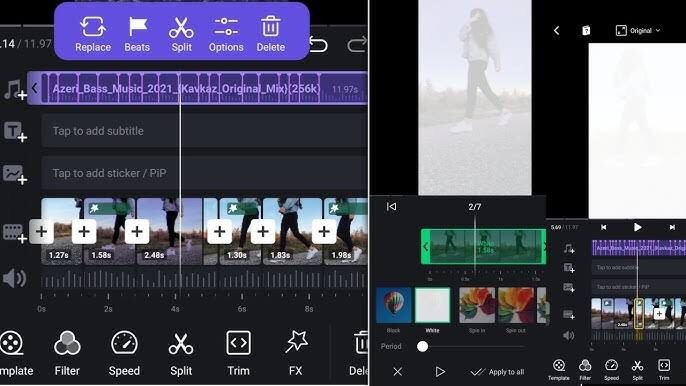
- Understand the Timeline – The timeline is where you cut, trim, and arrange clips. It allows you to drag and drop clips, zoom into the timeline for precision, and add multiple layers for overlays or picture-in-picture effects.
Editing Your First Video
- Trimming and Splitting – Tap on a clip, use the split tool to cut it into sections, and delete unwanted parts.
- Adding Transitions – Between clips, add smooth transitions like fade, dissolve, or swipe for professional flow.
- Text and Titles – Add captions, titles, or stylish text animations to highlight key points. VN includes free templates you can customize.
- Music and Sound Effects – Import your own music or choose from VN’s free library. Adjust volume and sync it with your clips for better storytelling.
- Filters and Color Grading – Apply filters or manually adjust brightness, contrast, and saturation to achieve cinematic looks.
- Speed Ramping – Slow motion or fast-forward effects can be created easily with VN’s speed control feature.
Exporting Your Video
When your edit is ready, tap Export. Choose resolution (up to 4K), frame rate (30fps or 60fps), and bitrate for the best quality. VN also allows direct sharing to platforms like YouTube, Instagram, and TikTok.
Final Tips for Beginners
- Keep your edits simple until you are comfortable with the interface.
- Use layers for creative effects like overlays or reaction videos.
- Save frequently to avoid losing progress.
- Explore the VN Video Editor community for free templates and inspiration.
Conclusion
Learning how to use VN Video Editor is easy once you understand the basics of importing, trimming, adding transitions, and exporting your video. With practice, you’ll be able to create professional-looking content directly from your phone. Whether you’re editing short social clips or full vlogs, VN Video Editor is one of the best free tools for beginners and advanced creators alike.


